
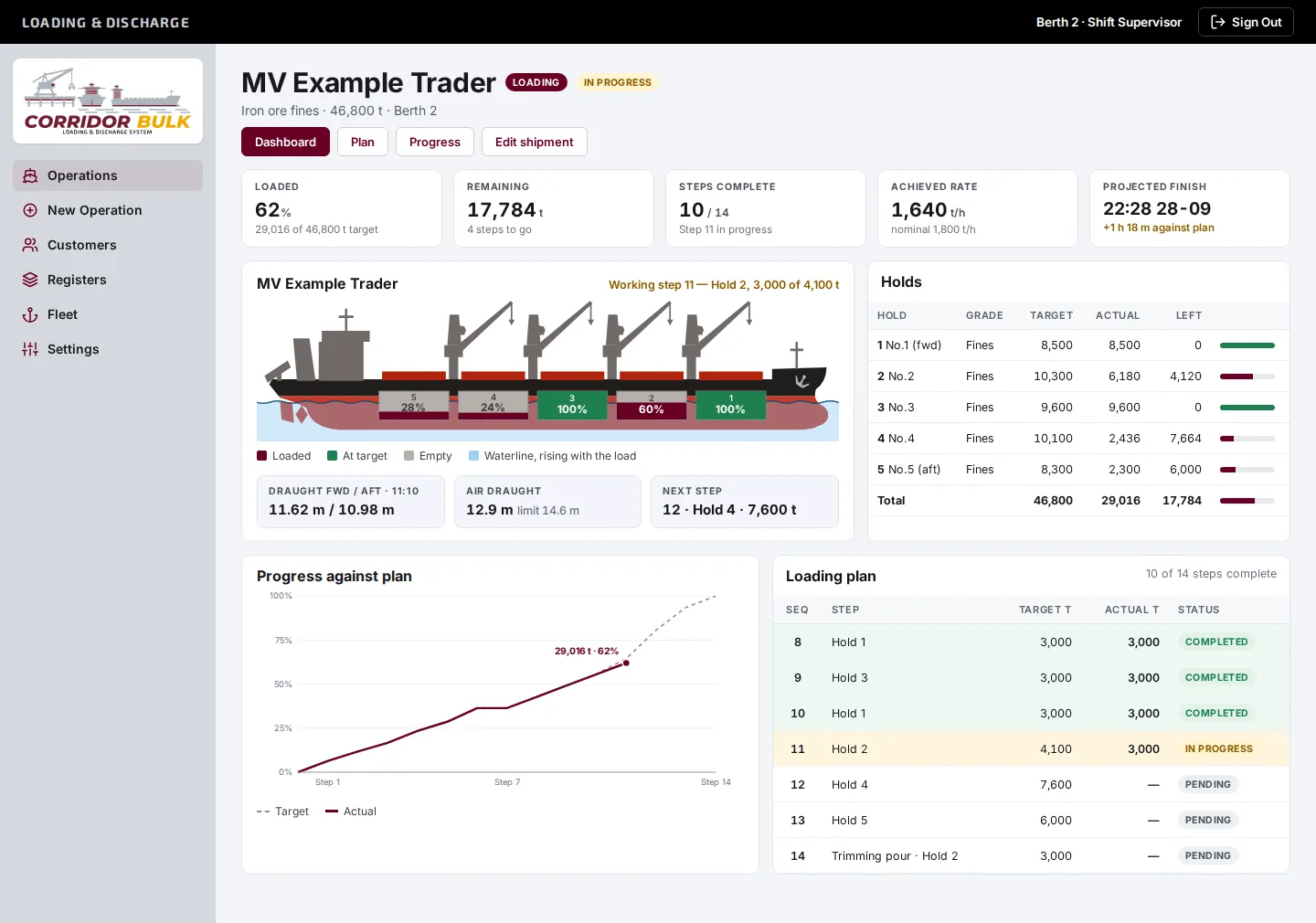
Live loading against plan, hold by hold.
Enter the loading or discharge plan once, work it pour by pour, and give the stevedore, agent, surveyor, shipper and receiver the same live view of progress and projected finish.
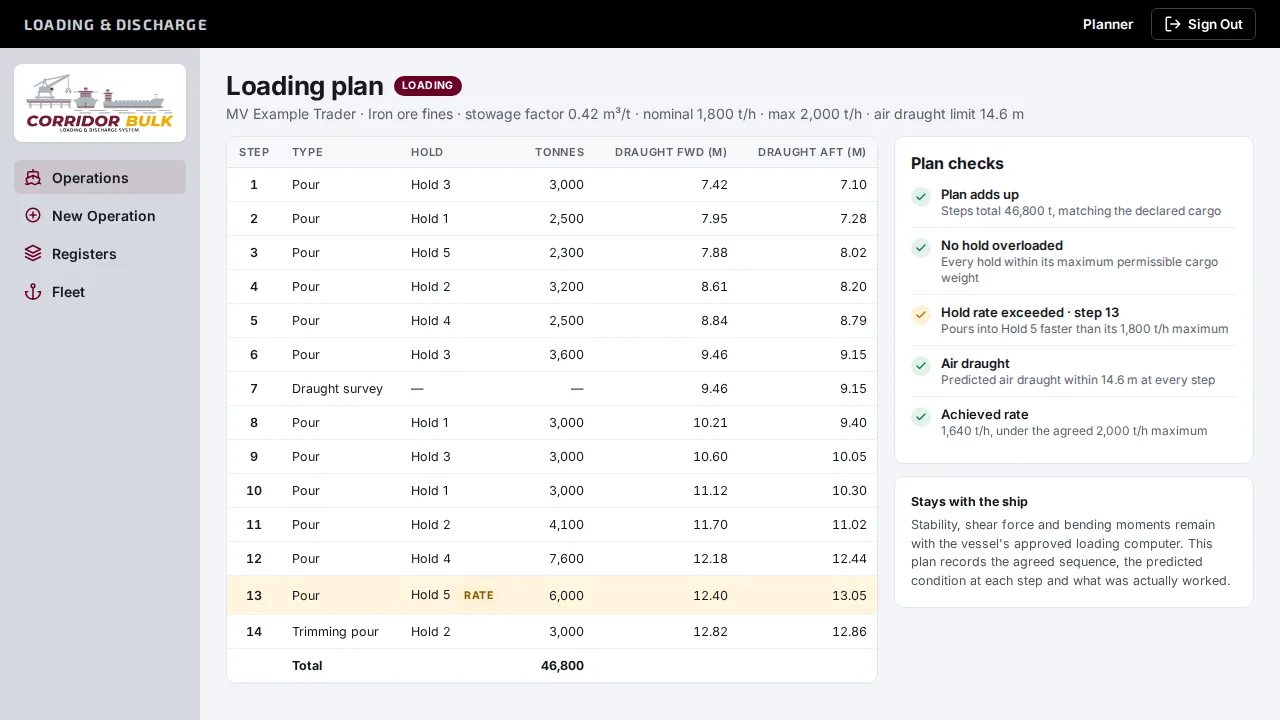
Enter the plan once, against the ship's own figures.
Ship particulars and holds are entered once and reused on every call. A new vessel starts from a 5, 7 or 9-hold template for its class, then gets corrected against the ship's own plan.
- Vessel register with IMO, call sign, flag, DWT, LOA, beam and summer draught
- Holds with grain capacity, maximum permissible cargo weight, maximum loading rate and tank-top strength
- Each operation carries the cargo, IMSBC group, stowage factor, quantity, agreed rates, draughts and air draught limit
- A numbered sequence of pours, trimming passes, draught surveys, ship shifts and planned stops, with predicted draughts
Work it pour by pour.
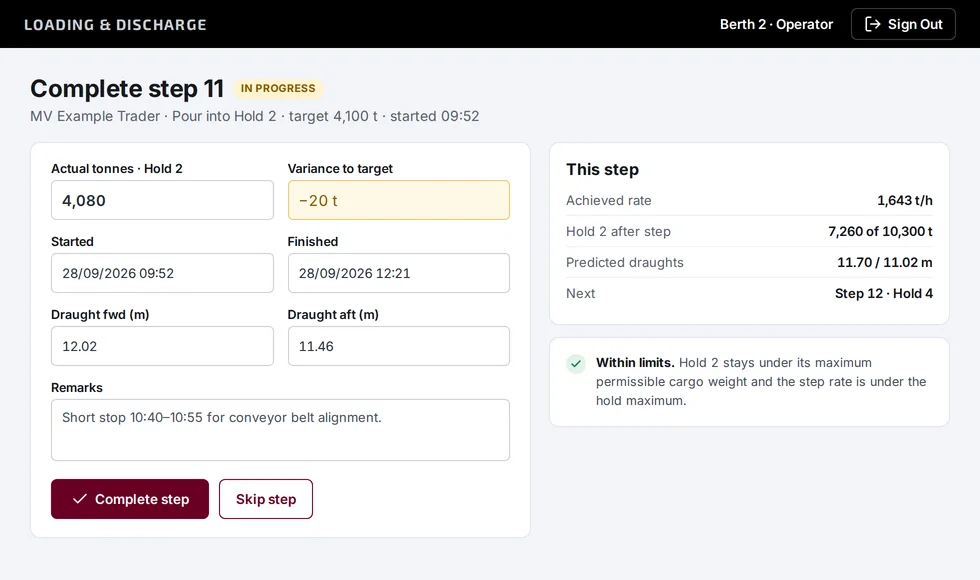
Operators start each step when it begins and record what actually happened when it finishes. The dashboard, plan and progress screens all update from the same figures.
- Actual tonnes per hold, start and finish times, and the draughts read
- Steps can be reopened or skipped as the plan changes
- Achieved rate against the nominal rate, worked out as you go
- A projected finish, and its variance against planned completion
Checks that catch a bad plan before the ship does.
These run on every plan and every step, and they're the reason the system exists.
Hold overloaded
Planned tonnage above a hold's maximum permissible cargo weight.
Hold rate exceeded
A step that would pour into a hold faster than its agreed maximum rate.
Air draught
Any step whose predicted air draught breaches the limit.
Plan doesn't add up
Steps that total something other than the declared cargo quantity.
Rate over maximum
An achieved loading rate above the agreed maximum.
What it deliberately leaves to the ship. Stability, shear force and bending moments stay with the vessel's approved loading computer. Corridor Bulk records the agreed plan, the predicted condition at each step and what was actually worked.
One live view for every party to the call.
Give each party the access their role needs. Roles build on each other, so a planner can do everything an operator can.
| Role | Typically | Can |
|---|---|---|
| Viewer | Agents, surveyors, shippers, receivers and charterers | Read the dashboard, plan and progress |
| Operator | Shift supervisors and loading crews | Start, complete and skip steps and enter actuals |
| Planner | Shipping and terminal planners | Add vessels and write plans |
| Admin | System administrators | Manage users, branding and settings |
Loading or discharge
An operation is one vessel call: a load or a discharge at one berth, planned and worked the same way.
Your branding
Company name, colours, logo, sign-in background and home-screen icon, set per instance.
Built to connect
Designed to link with the Haulage Operating System and the Stockpile Management System. Posting each pour straight onto the stockpile ledgers is planned.
Put your next vessel call on one screen.
We'll set up a walkthrough around a vessel and cargo you know, so you can see the plan, the checks and the dashboard working together.
or email [email protected]